

Sell digital products, courses, consultations and more
Turn your knowledge and expertise into offers your followers can buy. Build your page, set your price, and start selling with Zorcha.
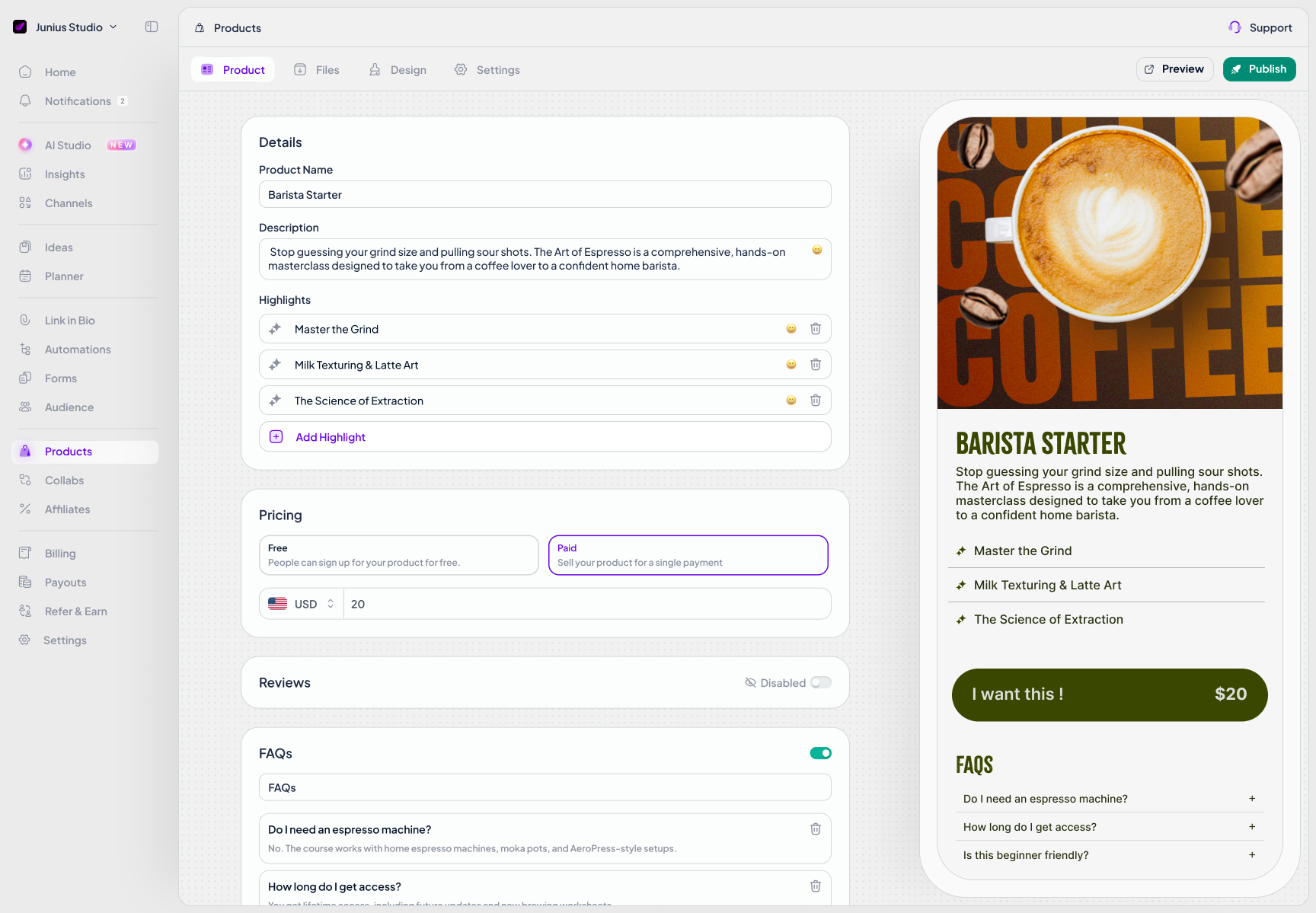
Give your expertise a product page.
Bring your content, explain its value, and give people one place to buy.
Sell where the conversation starts.
Connect your Instagram content to your offer with automated DMs.
Keep your products in one place.
Manage your offers and see buyers and revenue in your Zorcha workspace.
CREATE YOUR OFFER
A product page.
A reason to buy.
Show your audience exactly what they’re getting. Add a cover, describe the outcome, and highlight what makes your offer worth their time.
For digital downloads, attach your guides, ebooks or templates to the same product. Preview your page, then publish a link you can share anywhere.
SET YOUR PRICE
Your first freebie.
Your next paid offer.
Give your audience a useful starting point with a free resource, or put a price on your expertise. Choose Free or Paid right in the product editor.
For paid products, set your amount and currency, then connect an active payouts account to start selling.
Free or paid. You choose.
Pricing controls in the Zorcha product editor.SELL THROUGH INSTAGRAM DMS
Turn “send me the link”
into a path to purchase.
You’ve already sparked their interest. Help them take the next step while your product is on their mind.
Add your published product link to a Zorcha DM automation. A comment on your content can start a conversation that takes a follower straight to your offer.
Explore DM automation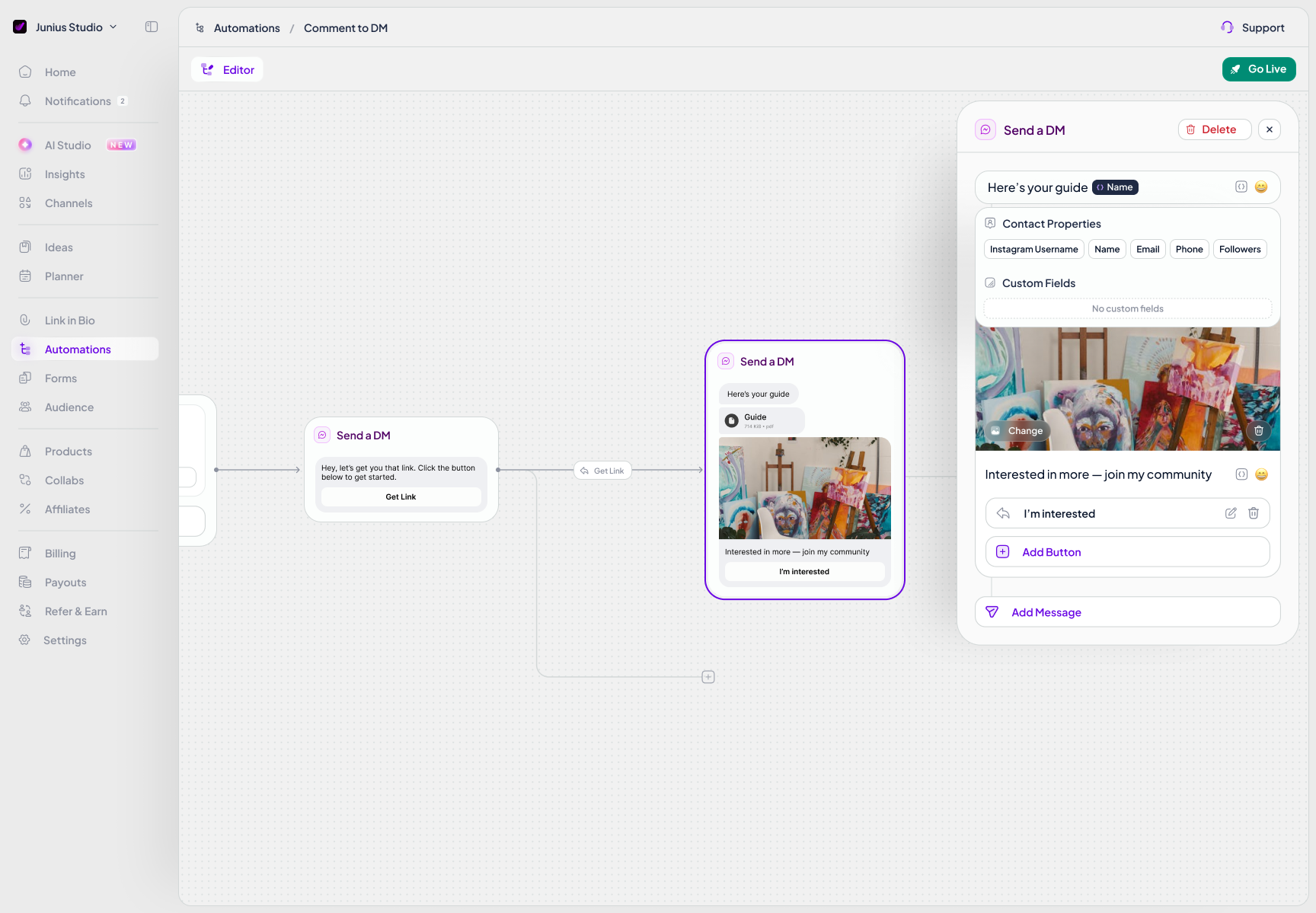
FOLLOW YOUR LAUNCH
Know what’s happening
after you hit publish.
Keep your product list close and your next decision informed. Check the buyers and revenue reported for each offer, or open its Overview for a closer look.
- Buyers
- See the recorded buyer count for each product.
- Revenue
- Check reported product revenue as your launch progresses.
- Publication status
- See which offers are live and when they were last published.
READY TO START SELLING?
From your first file to your first offer.
Three steps to prepare a digital download for your audience.
- 01
Add your content
Create a Digital Product. Add your title, description, cover and the files your customers will receive.
- 02
Prepare your page
Choose free or paid pricing, customize your page and preview the result. Set up payouts for paid products.
- 03
Publish your offer
Check the purchase or download journey, then add your published link to your bio or a DM automation.
Questions about selling with Zorcha
- Create downloadable offers such as ebooks, guides, planners, workbooks and template files. Add a description and cover, then upload the files your customers should receive.
- Yes. Choose Free in your product’s pricing settings, or choose Paid and set an amount and currency. Paid products require an active payouts account.
- No. Your product has its own customer-facing page in Zorcha. Customize it, preview it, and publish a link you can share with your audience.
- Yes. Add your published product link to a Zorcha DM automation. When someone triggers that automation, the message can direct them to your product page.
- The Products list shows each product’s reported revenue, buyer count and publication status. Open its Overview for a closer look. Sales reporting is separate from the status of a bank payout.
- Open Products in your Zorcha workspace and select New Product, then Digital Product. Add your content, files and pricing, preview the page and publish. Products is available in enabled workspaces; contact support if it is not visible in yours.